
Suggest a feature or report a problem
Three channels: Report a Problem and Send Feedback in the app, support@domuhq.cz for account questions, and feedback.domuhq.cz for feature requests everyone can vote on.
Which channel
- Safety issue (scam, harassment, fake listing): Report on the profile, listing, or conversation, or Help & Support, Report a Problem. Reviewed within 24 hours.
- Bug or something broken: Report a Problem with a screenshot and what you expected. Or email support@domuhq.cz with the page URL and your device.
- Account question (billing, verification stuck, change of email): support@domuhq.cz from the email on your account so we can find it.
- Feature request or idea: Send Feedback in the app, or better, post at feedback.domuhq.cz.
Support requests
Every report or feedback you send creates a support request. Help & Support, Support requests lists them with a status (Open, In progress, Pending, Resolved, Closed) and the team's replies; answer there instead of opening a new one.
The public feedback board
feedback.domuhq.cz is where product ideas live. Search first; if someone already asked, vote instead of posting again. Posts get a status as they move: Planned, Started, Completed, or Declined with a reason. You are notified when something you posted or voted for changes.
Writing a request that gets built
- Title: the noun, not the ask. "Dark mode" beats "could you please add a dark mode".
- The problem you are solving in one or two sentences. We rank by problem, not by idea.
- Who else it helps: renters, hosts, squads, expats.
- A screenshot if it is about a screen.
Step-by-step
- 1
Open Help & Support
5 secondsProfile, then the Help & Support tab.
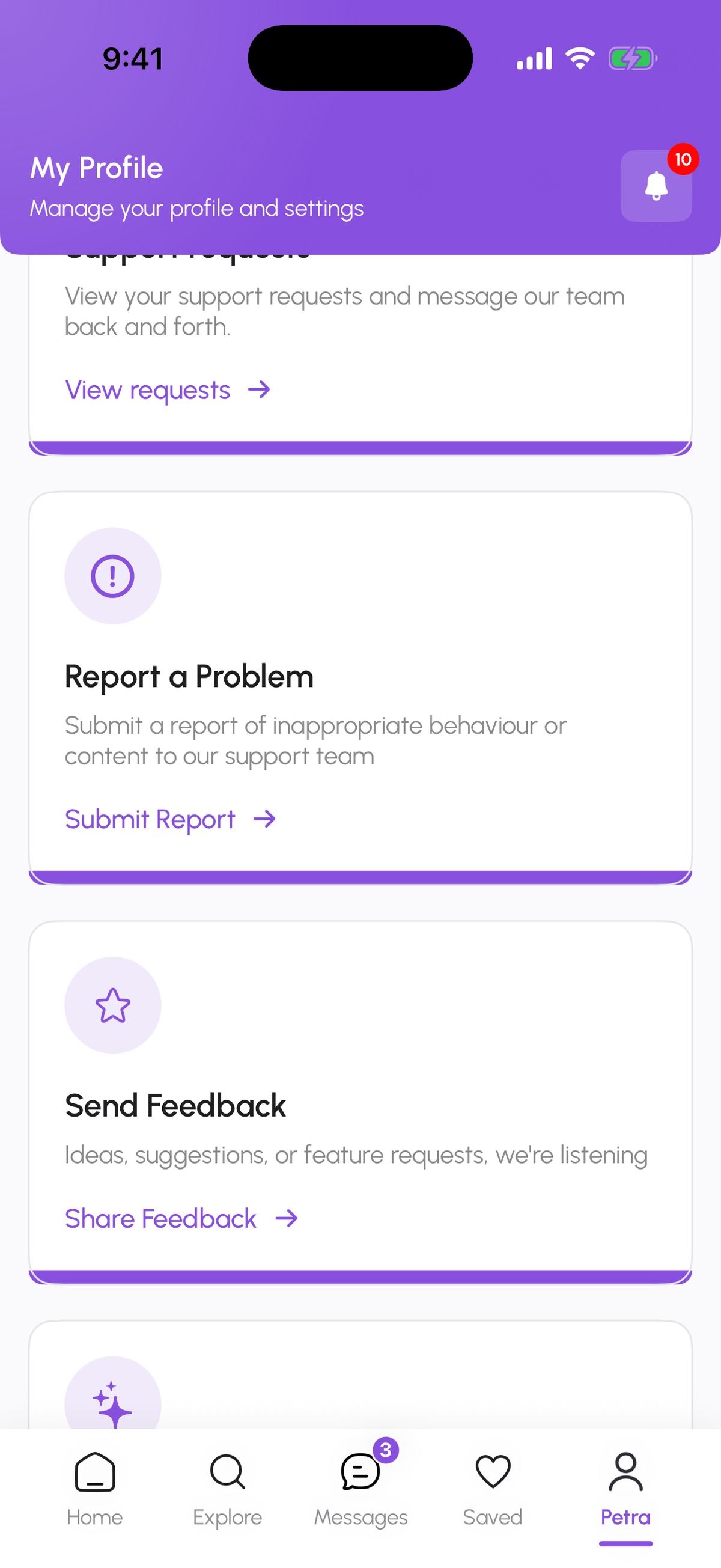
- 2
Pick Report a Problem or Send Feedback
2 minutesReport a Problem for bugs and safety: pick the topic (Safety & Trust, Billing & Subscription, Account, Property or Listing, Technical Issue, Feedback & Ideas, Something Else), add a subject and message, and Send request. Send Feedback for ideas.
- 3
Follow the request
ongoingHelp & Support, Support requests shows the status and replies.
- 4
Post ideas publicly
2 minutesGo to feedback.domuhq.cz, search, then post or vote.
Frequently asked questions
Will I get a reply?
Support requests always get one. Public feedback posts get a status change and, for the strongest ones, a reply from the team.
Can I post anonymously on the feedback board?
You need an account on the board to post or vote, so we can prevent spam; you can pick any display name.
How do I reach the founders?
The feedback board is read by the founders. For a private conversation, email contact@domuhq.cz.
Related articles
Troubleshooting: common issues and fixes
Quick fixes for missing verification codes, sign-in problems, locked features, few matches, missing buttons, stuck applications, and photo uploads.
BeginnerStay safe on DomuHQ: scams, reporting, and blocking
Never pay before you have seen the place and met the host, keep the conversation on DomuHQ, and use Report and Block the moment something feels off.
BeginnerYour Profile tabs: My Hub, Preferences, Data & Security, Legal, Help & Support
A map of the Profile page: where your plan and verification live, how to change language, theme, and notifications, where to change your password or export your data, and where to get help.
Beginner